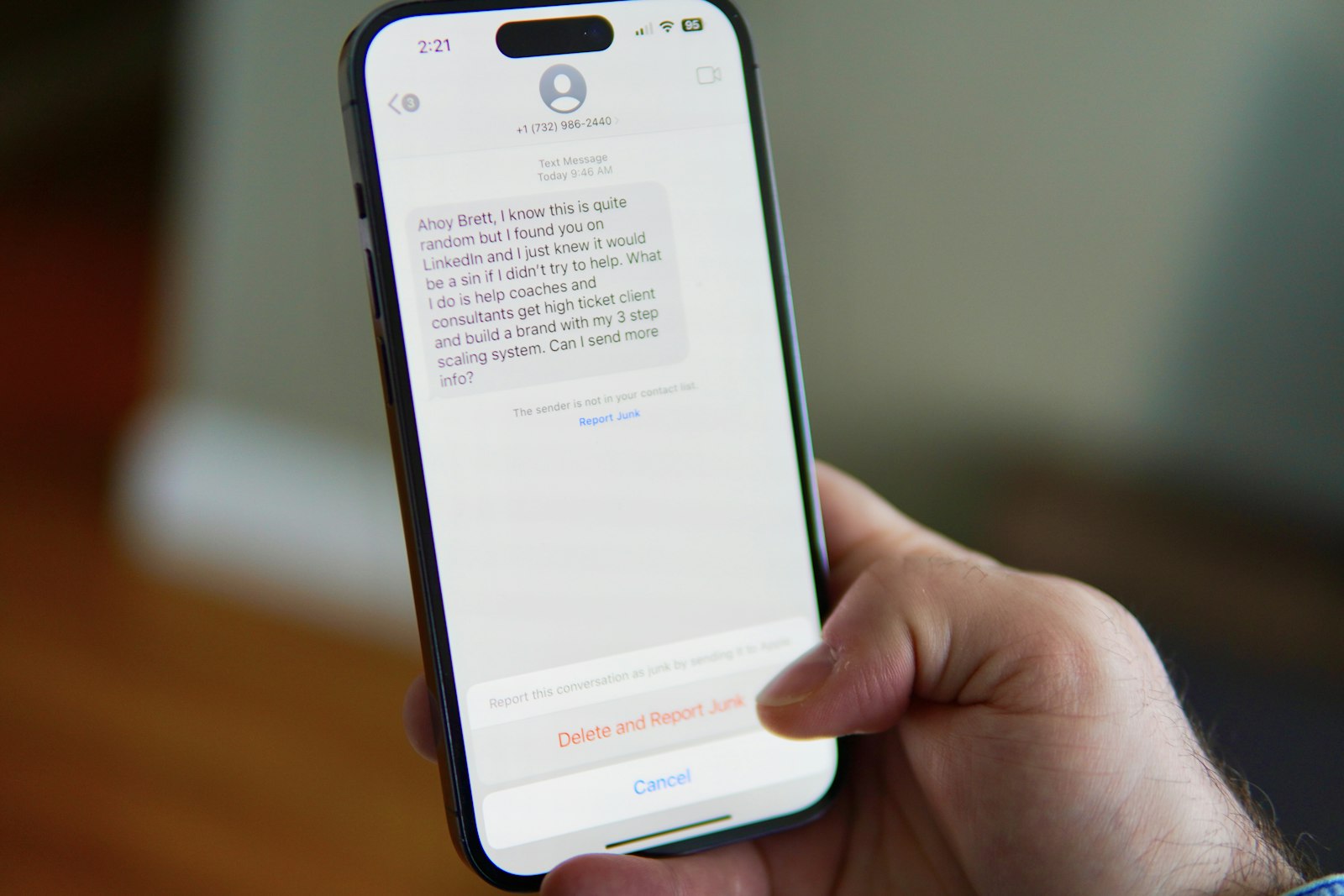
How to Reduce Phishing Risk in Your Business
In this article
A finance manager receives an email that appears to come from a long-standing supplier. The logo is right, the invoice amount is plausible, and the request is urgent: update bank details before this afternoon’s payment run. One rushed click can redirect funds, expose credentials or give an attacker a foothold in the business. Knowing how to reduce phishing risk is therefore not simply an awareness exercise. It is a practical part of protecting cash flow, systems, customer data and day-to-day operations.
Phishing remains effective because it targets normal business behaviour. People are busy, vendors change details, executives send urgent requests, and cloud platforms routinely ask users to sign in again. The most effective response combines trained people, well-configured technology and clear procedures. No single filter or training session can carry the full burden.
How to reduce phishing risk with layered controls
A phishing defence should assume that some suspicious messages will reach staff inboxes. Email security reduces volume, but it cannot reliably distinguish every legitimate-looking request from a carefully targeted scam. The objective is to make a successful attack harder at each stage: delivery, click, credential theft, account takeover and financial loss.
Strengthen email authentication and filtering
Start with the email environment. Configure SPF, DKIM and DMARC for your organisation’s domains, then monitor the results and move towards a policy that rejects unauthorised messages once the configuration is proven. These controls make it more difficult for criminals to impersonate your domain when emailing customers, suppliers or employees.
Use an email security platform that checks attachments, suspicious links, spoofed display names and unusual sender behaviour. Link scanning and attachment sandboxing can prevent common threats from reaching users, while external sender banners provide a useful prompt where an email originated outside the business.
Filtering has trade-offs. Aggressive settings can quarantine genuine supplier invoices or customer correspondence, creating operational delays. Review false positives, establish a quick release process, and tune policies around the types of communication your business genuinely receives. Security should reduce risk without making normal work unnecessarily difficult.
Make multi-factor authentication non-negotiable
Stolen passwords are one of phishing’s most valuable outcomes. Multi-factor authentication, or MFA, can stop a criminal from accessing an account even when a user enters their password on a fake sign-in page. Apply it to email, cloud file storage, remote access, finance systems, administration portals and any application containing sensitive business information.
Not all MFA methods offer the same protection. Authenticator apps are generally stronger than SMS codes, while phishing-resistant options such as security keys or passkeys provide better protection for privileged accounts and high-risk users. For many small and mid-sized businesses, a staged approach is realistic: secure administrator accounts first, then finance, executive and remote-access users, before extending coverage to all staff.
MFA fatigue attacks deserve specific attention. Attackers may repeatedly send approval prompts and then call or message a user while pretending to be IT support. Staff should know that an unexpected prompt is a warning sign, not something to approve to make it disappear.
Train staff around real decisions
Generic annual training has limited value if it does not reflect the decisions people make in their roles. A receptionist may need to identify fraudulent delivery notices. Accounts payable staff need to recognise changed bank details and invoice manipulation. Executives and assistants are frequent targets for impersonation, confidential document requests and payment fraud.
Effective training explains the cues that matter: a slightly altered domain name, an unexpected QR code, unusual urgency, a request to bypass process, or a sign-in page that does not match the usual address. It should also make clear that a polished email is not proof of legitimacy. Criminal groups now use accurate branding, professional language and information gathered from public sources.
Simulated phishing campaigns can help identify patterns without turning security into a blame exercise. The aim is to improve judgement and reporting, not embarrass individuals. Share short, relevant examples after each campaign and provide extra support where teams or roles show higher exposure.
Build verification into financial and sensitive requests
Many of the most expensive phishing incidents do not depend on malware. They depend on a trusted-looking request to change payment details, purchase gift cards, release payroll data or share confidential files. These requests require a business control, not just a careful employee.
Create a documented verification process for supplier bank detail changes and high-value payments. Staff should use a known phone number from the supplier record, not a number supplied in the email, and obtain confirmation through a separate channel. A second approver, payment threshold or delay for newly changed details can provide valuable time to detect fraud.
The same principle applies to requests from executives. A message that appears to come from the managing director is not authority to ignore financial controls. Clear leadership support is essential here: people must be able to question an urgent request without worrying that they are slowing down the business.
Limit what a compromised account can do
Even well-trained teams can make mistakes. Reduce the damage by applying least-privilege access. Users should have access only to the systems, folders and administrative functions needed for their role. Separate standard user accounts from administrator accounts, and avoid using highly privileged accounts for routine email and web browsing.
Conditional access policies can add another layer by challenging or blocking logins from unfamiliar locations, unmanaged devices or risky sign-in attempts. Endpoint protection, timely patching and device management also matter, particularly for businesses with hybrid workforces using mobiles and laptops beyond the office network.
Review forwarding rules in cloud email platforms. Attackers who gain access to an inbox often create hidden rules that forward messages externally or move security alerts out of sight. Alerting on unusual mailbox rules, impossible travel logins and unexpected privilege changes can turn a quiet compromise into a quickly contained incident.
Create a reporting process people will actually use
Staff need one simple way to report a suspicious email, ideally a reporting button in the email client or a clearly publicised security contact. The process should be fast, and the response should be visible. When employees report messages and hear that the team acted on them, they are more likely to report the next one.
Avoid telling staff to simply delete suspicious emails. Reporting gives IT or a managed security provider the opportunity to investigate the message, remove similar emails from other inboxes, block malicious domains and determine whether anyone has interacted with it.
A useful process also defines what happens when someone clicks. Employees should know to report it immediately, rather than hide the mistake. Early disclosure can allow the organisation to reset credentials, revoke sessions, isolate a device and check for unauthorised activity before the incident develops further.
Rehearse the response before an incident
Phishing response is time-sensitive. Document who can disable accounts, reset passwords, contact banks, notify affected customers and engage external support. Keep decision-makers, finance contacts and key service providers current in the incident response plan.
Run short tabletop exercises based on realistic scenarios, such as a compromised Microsoft 365 account or a supplier payment diversion attempt. These exercises often expose gaps that are invisible on paper: unclear approval authority, missing log access, outdated phone numbers or uncertainty about who owns customer communication.
Backups remain part of the broader defence. Phishing can lead to ransomware, and a tested, protected backup provides options when recovery is required. Test restoration regularly, including the recovery time needed for critical systems, rather than assuming a backup report means the business can resume work.
Measure improvement, not just training completion
Security leaders and business owners need evidence that controls are reducing exposure. Track MFA coverage, the number of privileged accounts, phishing reports, time to investigate, failed login patterns and the rate of staff interaction in simulations. Metrics should guide action, not become a compliance exercise.
If a particular team receives frequent supplier impersonation attempts, adjust its training and payment controls. If external forwarding rules are repeatedly created, review access policies and alerting. The right measures help direct limited security investment towards the risks most likely to disrupt the business.
Phishing risk cannot be eliminated, because attackers continually change their tactics and exploit legitimate business processes. It can, however, be managed to a level where a deceptive email is far less likely to become a financial loss or operational outage. A capable technology partner such as SS NovaTech can help align email security, identity controls, staff processes and incident readiness so protection supports the way your business actually operates.
Keep reading
What Is Network Segmentation for Business Security?
What is network segmentation? Learn how separating business systems limits cyber risk, supports continuity and strengthens day-to-day IT control at work.
Read article
Cyber Insurance Requirements Checklist for Business
Prepare with a cyber insurance requirements checklist that helps Australian businesses reduce risk, meet insurer expectations and recover when needed.
Read article
When Is Penetration Testing Needed in Business?
Understand when penetration testing is needed for your business: key triggers, testing frequency and ways to reduce cyber risk with planning in advance.
Read article
Want this handled for your business?
Tell us what you run today and we will tell you what we would change. We reply to every enquiry within one business day. For a critical issue, call and we respond within 30 to 60 minutes.